What the AI coach does
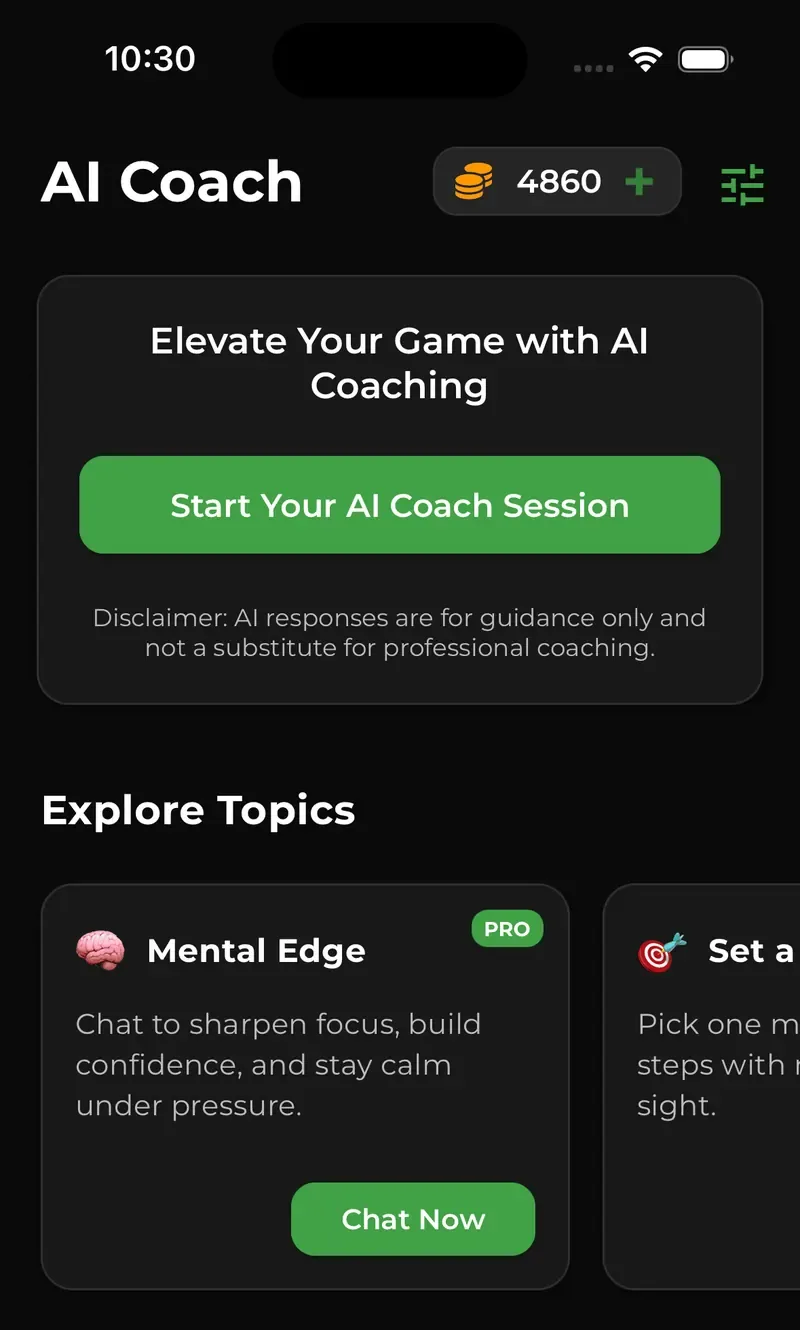
The coach lives in the app's AI Coach tab. Start an open session and ask anything about tennis, from where to stand in doubles to what to pack for a tournament. Or pick one of eight topics, each with its own focus:
- Mental EdgeFocus, confidence and staying calm under pressure.
- Set a GoalPick one goal for your next match and plan the steps to get there.
- MotivationGet your drive back when tennis starts to feel flat.
- Match ReviewBreak down your last match: what worked, what did not, and what to change.
- Play StyleUnderstand how you naturally play and build tactics around it.
- Drill IdeasPractice drills aimed at the weak spots that cost you points.
- Match Day PrepA quick plan for warm-up, routine and mindset before you play.
- Match HistoryThe coach reads your latest logged matches and looks for patterns.
It sticks to tennis. Ask it about something else and it will steer you back to the court.
How it gets to know your game
A general chatbot starts every conversation from zero. The Baseline coach has three kinds of context about you.
- A short skill assessment. When you start your first chat, the app offers a quick questionnaire. Your answers become a player profile with your level, playing style, mindset, achievements, challenges and how you like to train. The coach uses it when personalization is on.
- Your matches. Log your singles and doubles matches in the app. In the Match History topic, the coach fetches your latest matches before it answers: the date, your opponent, the score and the result.
- Your settings. You decide what kind of coach you are talking to.
| Setting | Options |
|---|---|
| Coach level | Training Partner for basic exercises and fun drills, Club Coach for technique, routines and basic tactics, or Grand Slam Coach for high-level strategy, in-match analysis and mental tactics |
| Tone | Professional, Friendly or Enthusiastic |
| Detail level | Short for a one or two sentence tip you can remember on court, Medium for three or four bullet points, or Detailed for a four to six step plan |
| Response creativity | Anywhere from Precise, for consistent answers, to Creative, for more varied ideas |
| Other options | Simple language, metric or imperial units, and personalization on or off |
Two switches for harder questions
Under the message box you can turn on Deep Think, which has the coach work through a problem in more depth before it answers, and Web Search, which lets it look up current information such as tournament news or a new racket. Both make a reply cost more coins, so leave them off for everyday questions.
Ask the coach in a group chat
The coach is not stuck in its own tab. In community group chats and in one-to-one chats with other players, tap Ask to Coach before you send a message, and the coach answers in the same thread. It is handy when you and a hitting partner are planning a practice session or settling a rules argument.
See where you rank
Advice is more useful when you can see whether it works. Log a match, your opponent confirms the score, and both ratings update. Only confirmed matches between players with verified accounts count, so a match against someone you invited who has not joined yet does not move the rankings.
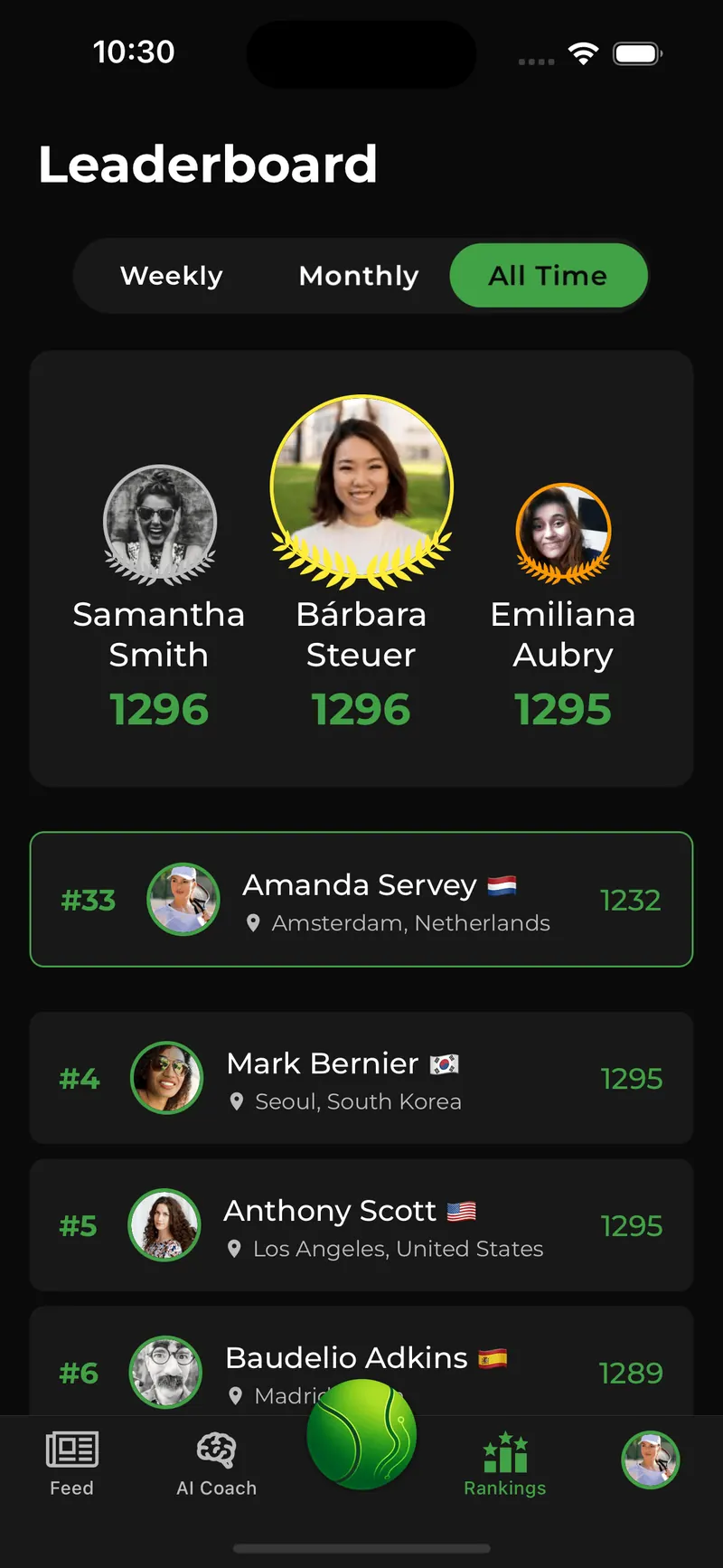
The Rankings tab has three leaderboards:
- Weekly ranks players by the rating points they have gained since Monday.
- Monthly ranks players by the points gained since the first of the month.
- All Time ranks players by overall rating.
Each board lists the top 100 players with their city and country, and shows your own position even when you are outside the top 100. The weekly and monthly boards count points gained, not total rating, so a player on a good run can top them without having the highest rating overall.
What it costs
The app is free to download. New accounts start with 100 coaching coins, and every coach reply uses some of them. A short tip uses fewer coins than a long plan, and Deep Think or Web Search add to the cost. When you run low, you can buy more coins as a one-time purchase with no subscription. There is also an optional Pro subscription, listed on the App Store as Baseline Subscription at US$4.99 a month in the US, with prices that vary by country. Pro lowers the coin cost of every coach reply.
What it will not do
- It does not watch you play. The coach works from text: your questions, your assessment and your logged matches. It cannot see your swing. For stroke analysis from video you need a camera-based tool or a coach on court.
- It does not replace a coach on court. The app says so on the AI Coach screen: AI responses are for guidance only and not a substitute for professional coaching.
- It only knows the matches you log. Matches you play but do not enter are invisible to it.
If something hurts, ask a doctor or a physiotherapist, not a chatbot.
Who gets the most from it
Club and recreational players who do not have a coach every week: people who want someone to plan a practice with, to talk through a tough loss, or to check a game plan before a match. If you already work with a coach, use it between lessons, for example to turn your coach's feedback into a drill plan for the week.
Questions players ask
Is the BaselineTennisAI coach free?
The app is free to download and new accounts start with 100 coaching coins. Each coach reply uses some coins. When they run out you can buy more as a one-time purchase, or subscribe to Pro, which lowers the cost of every reply.
Can the AI coach analyze my tennis matches?
It can read the matches you log in the app. In the Match History topic it fetches your latest matches, with the date, opponent, score and result, and looks for patterns. It does not see shot-by-shot statistics or video.
Can it analyze a video of my serve or forehand?
No. It is a text coach. Describe what happens, for example “my second serve lands short when I get nervous”, and it will suggest likely causes and drills, but it cannot watch your strokes.
Is it for beginners or advanced players?
Both. Pick Training Partner for basic drills and daily practice, Club Coach for technique, routines and basic tactics, or Grand Slam Coach for high-level strategy, in-match analysis and the mental game. You can switch at any time in AI Coach Settings.
How is it different from asking ChatGPT about tennis?
A general chatbot only knows what you type into it. The Baseline coach also has your skill assessment, can read the matches you log, remembers your coach settings and can join your chats with other players. It only talks tennis.
Which phones does it work on?
iPhone with iOS 15.1 or later, and Android phones through Google Play.